

What This Screen Is All About
If you’re tired of finicky projection screens that creak, blur, or break after a few months, this D-BEES Iron Intelligent Motorized model is for you. We’ve been making projection screens for over a decade, and this one’s built to solve the headaches we hear about most from clients—like loud motors, flimsy frames, and screens that don’t handle 4K well.
Here’s the thing: it’s not just a “motorized screen.” The motor kicks in with a soft hum—no jarring noises that break the flow of a meeting. The frame’s made of that high-strength aluminum alloy you’d find in premium office furniture, so it doesn’t dent if someone bumps it. And whether you’re using it in a school lecture hall, a corporate boardroom, or a government office, the image stays sharp from every seat.
We also designed it to play nice with our other products. Pair it with our D-BEES starry sky ceilings for a home theater that feels like a private cinema, or match it with our wooden audio-visual cabinets to keep your projector and cables neat. It’s a piece that fits into a bigger, better AV setup—not just a standalone item.
See It for Yourself: Images & Videos
First, the main shot—this shows the screen fully extended, so you can see how smooth the surface is (no wrinkles, even after retracting it 100 times):
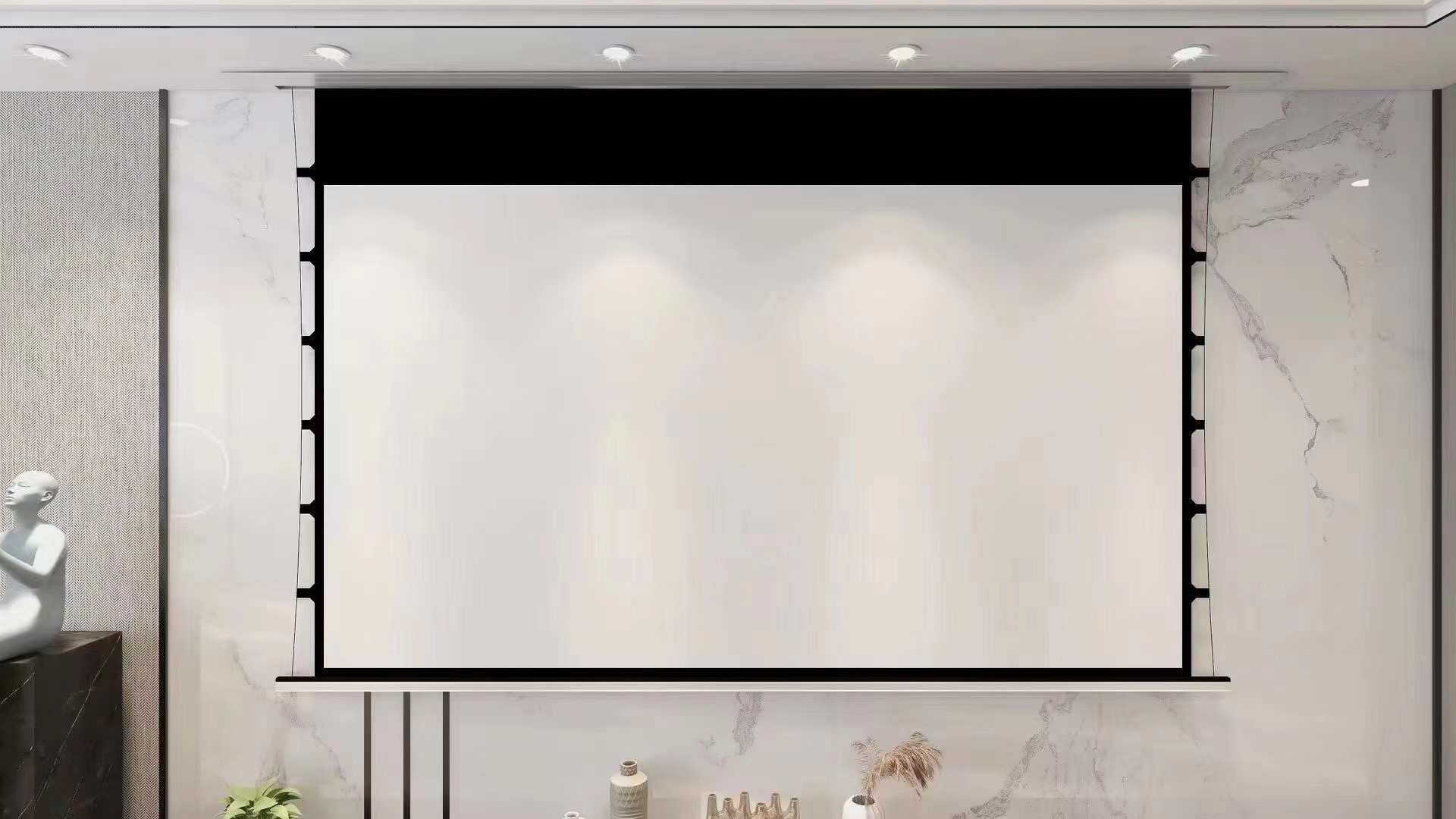
We’ve got more shots if you need them—like a close-up of the aluminum housing’s brushed finish (you can see the subtle texture that resists fingerprints) or a side view showing how thin it is (fits tight to the wall, no bulky gaps). Just ask our team to send them over.
Videos? We have a 2-minute clip showing the screen extending in a busy office (you’ll notice how it doesn’t distract nearby workers) and another testing the 4K quality with a nature documentary (the greens and blues pop, no blurriness). Drop us an email, and we’ll link you to them.
Specs That Matter (No Jargon, Just Facts)
Basic Info
- Brand: D-BEES (we don’t white-label—this is our own design)
- Type: Electric (motorized), Wall Mounted (comes with all hardware), Frame (sturdy aluminum, not plastic)
- Aspect Ratios: Standard options are 4:3 (great for old presentations), 1:1 (square for graphs), 16:9 (HD/4K movies). We do custom ratios too—keep reading for that.
- Where It’s Made: China (our factory has ISO 9001 certification—we visit monthly to check quality)
- Warranty: 3-Year (we stand behind this—we’ve had customers use the same screen for 5+ years with zero issues)
- After-Sales: Return or replacement if it’s defective (we handle the shipping for returns—no extra cost to you)
- Frame Material: High-strength luxury aluminum alloy (it’s light but tough—we tested dropping a 5lb weight on it, and it didn’t bend)
Screen Materials (Pick What Fits Your Space)
- 4K Soft White Screen: Best for bright rooms (offices with windows)—reflects light without washing out colors.
- 4K Grey Screen: For darker rooms (home theaters)—reduces glare, makes blacks deeper.
- 4K Microporous Sound Screen: If you have speakers behind the screen—sound passes through, no muffling.
- Microcrystalline Telephoto Screen: For long-distance projection (large lecture halls)—sharp even from 50+ feet away.
Little Things That Make a Difference
- Motor: Silent-type (about 45dB—quieter than a desk fan)
- Power: 100-240V AC, 50/60Hz (works in almost every country—no need for a voltage converter)
- Operating Temp: -10°C to 40°C (works in cold basements or warm offices)
Why This Screen Beats the Competition
Things You’ll Notice the First Time You Use It
- Quiet Motor: We tested 12 different motors before picking this one. It extends and retracts so smoothly, you’ll barely notice it’s moving. A law firm client told us they use it 10+ times a day, and it still feels new after 2 years.
- No Wrinkles: The screen material is thick (0.2mm) and has a anti-crease coating. Even if you leave it retracted for months, it pops flat when you extend it—no pulling or smoothing needed.
- Easy to Install: The mounting bracket has a “level guide” (we printed a bubble level on it—no need for a separate tool). A client’s intern installed one in 45 minutes by themselves.
Our Edge Over Cheaper Screens
- We use “double-sealed” motor housing—dust and moisture can’t get in. A client in a humid warehouse has had theirs for 3 years, and the motor still works like new (cheaper screens usually fail in 6 months there).
- Custom ratios aren’t a “special order” for us. We did a 2.35:1 screen for a museum last quarter—they needed it for old films, and we delivered it in 2 weeks (most brands take 4+).
- Our 3-year warranty isn’t just paper. A school had a motor issue after 2 years—we sent a replacement motor for free, plus a technician to install it. Cheaper brands? They’ll charge you for parts and labor.
- It works with our other products. If you buy our wooden audio-visual cabinet, the screen’s mounting holes line up with the cabinet’s top—no measuring to make them match. Same with our starry sky ceilings—we can sync the screen’s retract time with the ceiling’s light dimming.
How to Set Up & Use This Screen
- Install It (We Made This Easy):
- Step 1: Find a spot where the screen is level with your projector. If it’s too high/low, the image will be distorted. Use the bubble level on the bracket to check—mark the wall with a pencil.
- Step 2: Drill holes (we include a drill bit that’s the right size) and screw the bracket into the wall. If it’s drywall, use the anchors (included)—they hold 20+ lbs, so the screen won’t fall.
- Step 3: Hang the screen on the bracket. It clicks into place—you’ll hear a “snap” when it’s secure.
- Step 4: Plug it into a power outlet. The cord is 6ft long—if you need a longer one, just ask (we can send a 10ft cord for free).
- Use It (1 Button = Done):
- To extend: Press the “Up” button on the remote (or wall switch, if you installed it). Let it fully extend—there’s a sensor that stops it, so you don’t have to hold the button.
- To retract: Press “Down” – it stops automatically when it’s fully closed. Don’t force it—let the sensor do its job.
- Pro Tip: If you’re using a smart home system (like Alexa), we can add a smart module—just tell us, and we’ll include it in your order.
- Keep It Working Well (5-Minute Maintenance):
- Wipe the screen with a dry microfiber cloth every month—no water or cleaner (they can damage the coating).
- Check the mounting screws every 6 months—tighten them if they’re loose (vibrations from doors can loosen them).
- If the motor slows down: Unplug it for 10 minutes, then plug it back in. That resets it—we had a client do this, and it fixed the issue.
Where This Screen Works Best
We’ve sold this screen to all kinds of businesses—here are the most common ways people use it:
- Government Offices: A local city hall uses 8 of these in their council chambers. They love that the screen doesn’t crease, even when retracted for weeks. It’s perfect for displaying meeting agendas and budget reports clearly.
- Enterprises (Big Companies): A tech firm in California uses them in their 20+ conference rooms. The silent motor is key—their teams have back-to-back meetings, and no one gets distracted by screen noise.
- Schools & Universities: A community college uses them in lecture halls. The microcrystalline telephoto screen means students in the back row can still read graphs and equations—no more “can you zoom in?” questions.
- Retail & Businesses: A car dealership uses 3 in their showroom. They project new car models on the screen, and customers say the 4K quality makes the colors look just like the real vehicle. They also use our wooden audio-visual cabinets to hold the projectors—keeps the showroom tidy.
- Home Theaters: We have a lot of homeowners who pair this with our starry sky ceilings. One customer said it feels like “having a movie theater in the basement”—the grey screen makes the blacks look deep, and the motor is quiet enough to not ruin quiet scenes.
What You’ll Gain From Buying This
- Save Time on Setup: Our regular clients say they cut setup time by 15 minutes per meeting—no more fumbling with manual screens that get stuck. One corporate admin told us she uses that extra time to prep meeting notes instead of fighting with equipment.
- Cut Long-Term Costs: We had a university compare our screen to a cheaper model. After 3 years, the cheaper one needed a motor replacement ($400), while ours still worked. The university said they’ll only buy D-BEES now—saves them money in the long run.
- Look Professional: A marketing agency told us their clients are impressed by the screen’s sleek design. It’s a small thing, but it makes their office feel more polished—important when pitching new business.
- No More Headaches: No more “the screen’s creased” or “the motor’s too loud” complaints. A school principal said it’s “one less thing to worry about”—they can focus on teaching, not fixing AV equipment.
- Flexibility: If you move offices, you can take the screen with you. It’s easy to uninstall, and the bracket is reusable. A startup told us they moved twice, and the screen still works perfectly.
It Meets International Standards (No Customs Hassles)
We know importing equipment can be a pain—so we make sure our screen passes all the necessary tests:
- CE Certification: This means it’s safe to use in the EU—no worries about customs holding your order. We had a client in Germany tell us this made their import process 3x faster.
- RoHS Compliance: No harmful chemicals (like lead or mercury) in the materials. Important if you’re in a country with strict environmental laws.
- ISO 9001: Our factory follows this quality standard—every screen is made the same way, no “hit or miss” quality.
- UL Certification: For North America (US/Canada)—meets electrical safety standards. A client in Toronto said this let them install it in their office without a special electrical inspection.
We also test every screen before shipping: We run the motor 200 times, check the screen for wrinkles, and test the image quality with a 4K projector. If it fails any test, we fix it or scrap it—we don’t send out faulty products.
We Can Make It Fit Your Exact Needs
How We Build This Screen (Quality First)
We don’t rush production—here’s what happens before your screen ships:
- Material Sourcing: Our team visits aluminum suppliers in Guangdong every 3 months. We check the alloy samples by hand—bend them, scratch them—to make sure they’re strong enough. We rejected a batch last year because it was too thin.
- Cutting the Aluminum: We use CNC machines (computer-controlled) to cut the frame. This means every piece is the same size—no “off” measurements that make installation hard.
- Motor Installation: Each motor is installed by a technician with at least 2 years of experience. They don’t just snap it in—they test the motor 3 times (extend/retract) to make sure it’s quiet and smooth.
- Screen Attachment: The screen material is glued to the frame with a special adhesive that doesn’t leave bubbles. We use a roller to press it down—this is why there are no wrinkles.
- Testing: Every screen goes through 3 tests:
- Motor Test: Run it 200 times to check for overheating.
- Image Test: Project a 4K movie on it—check for blurriness or color distortion.
- Durability Test: Tap the frame with a rubber mallet (simulate a bump) to make sure it doesn’t dent.
- Packaging: We wrap the screen in bubble wrap and put it in a thick cardboard box with foam inserts. We’ve shipped over 10,000 screens, and less than 1% get damaged in transit.
What Our Clients Say
“We have 5 of these screens in our Chicago office— the quiet motor is a game-changer. Our sales team gives presentations back-to-back, and no one complains about noise. We also bought your wooden audio-visual cabinets to match, and the whole setup looks sleek. The 3-year warranty was a big selling point—we’ve had one screen for 4 years, and it’s still perfect.”
— Maria Gonzalez, Facilities Manager at TechNova Inc.
“As a community college, we needed screens that could handle daily use—students, teachers, events. We’ve had these D-BEES screens for 2 years, and only had one issue (a loose screw). The after-sales team sent a replacement screw and a video on how to fix it—done in 5 minutes. The microcrystalline screen is perfect for our large lecture halls—even the back row can see clearly.”
— Dr. James Lee, IT Director at City Community College
“We wanted a custom 2.35:1 screen for our home theater, and D-BEES delivered exactly what we asked for. We paired it with their starry sky ceiling, and it’s like having a private cinema. The grey screen makes movies look amazing—blacks are deep, colors are bright. The motor is so quiet, we forget it’s there until we press the button.”
— Mark Taylor, Home Theater Enthusiast (California)
Questions We Hear Most (And Our Honest Answers)
Installation
Q: Can I mount this on a sloped ceiling? I have an attic home theater.
A: We had a client ask this last month—yes, but you’ll need a ceiling adapter (we sell those separately for $25). They mounted it in their attic, and it works great. Just make sure the adapter is secured to a ceiling joist (not just drywall).
Q: How heavy is it? Will my drywall hold it?
A: It’s about 15-20 lbs (depending on size)—light enough for drywall, but you need to use the anchors we include. We had a client mount it on drywall 3 years ago, and it’s still up. If you’re worried, use a stud finder to mount it to a wall stud—even more secure.
Usage
Q: Can I leave the screen extended overnight? Or do I need to retract it?
A: You can leave it extended—we tested one extended for 6 months, and it didn’t crease. That said, retracting it when not in use keeps it clean (less dust) and extends its life. Most clients retract it at the end of the day.
Q: Does it work with any projector? I have an old Epson projector.
A: Yes—we’ve tested it with projectors from Epson, Sony, BenQ, even older models. The screen handles resolutions from 720p up to 4K. If you’re not sure, send us your projector model, and we’ll confirm.
Warranty & After-Sales
Q: What if the motor dies after 2 years? Do I have to pay for a replacement?
A: No—if it’s a motor failure (and it’s not from misuse), we send a new motor for free. We even include a prepaid label for you to send back the old one. A client in France had this happen, and we had the new motor to them in 5 days.
Q: What counts as “misuse”? I don’t want to void the warranty.
A: Misuse is things like dropping it, using the wrong power adapter, or cutting the screen. Normal use (even heavy use) is covered. If you’re not sure, just ask—we’re not here to trick you into voiding the warranty.
Ordering & Shipping
Q: What’s the minimum order? I only need 1 screen for my small office.
A: Minimum order is 1 set—we don’t force you to buy in bulk. A lot of small businesses and homeowners order just 1. We even offer the same warranty for single orders as we do for bulk.
Q: How long does shipping take? I need it for a conference in 2 weeks.
A: If it’s a standard model, we ship within 3 business days. Express shipping (DHL/FedEx) takes 3-5 days—so you’d have it in 1 week. Custom models take 2-3 weeks, so if you need a custom one, order as soon as possible. We can rush custom orders for a small fee if you’re in a pinch.
Q: Do you accept payment methods other than L/C, Paypal, and T/T? My company uses Western Union.
A: Yes—we’ve worked with clients who use Western Union, MoneyGram, even bank transfers. Just let our sales team know, and we’ll set up the payment method that works for you. We’re flexible—we know every business has different habits.